

Parts by VIN
Search for parts by VIN
Why Search for Parts Using a VIN Code
Searching for spare parts by VIN is one of the most accurate and convenient ways to find exactly what fits your vehicle. It helps avoid mistakes, saves time, and removes the guesswork from comparing technical specs.
Benefits of VIN-Based Searches:
- Fewer errors – the VIN ensures compatibility with your car’s model, engine, and features.
- Time-saving – no need to scroll through endless listings; just a few clicks and you're done.
- Easy to use – enter the VIN, confirm your car, and view the matching parts — no tech knowledge needed.
How to Find Auto Parts by VIN: Step-by-Step
1. Create an Account
To use the VIN search, start by registering on our website. After signing up, you’ll get access to the original parts catalog, tailored to your vehicle.
2. Enter Your VIN
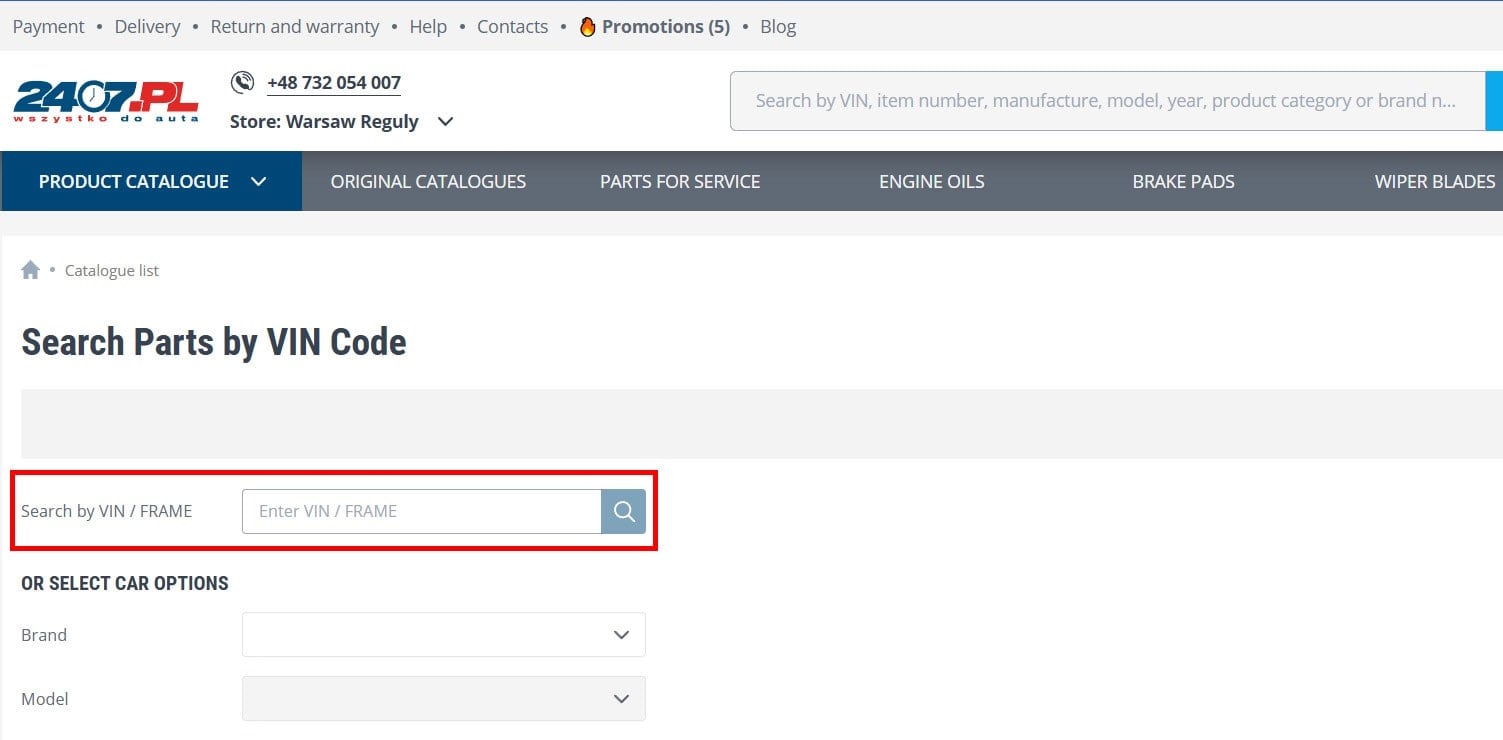
Go to the catalog
page and enter your 17-character VIN in the search field on the left. (See example in the screenshot below.)
3. Confirm Your Vehicle
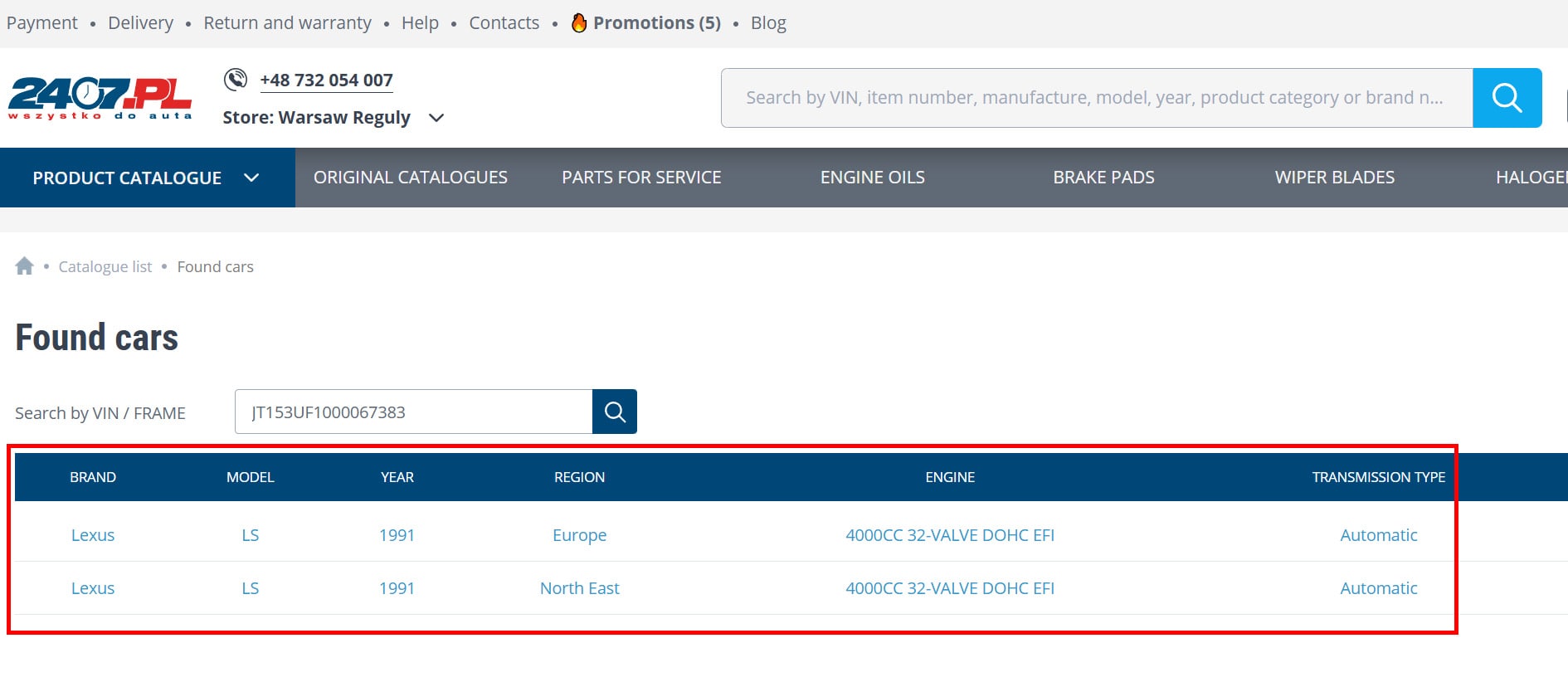
A window will pop up with your vehicle’s details. Check the model and version, then continue. You’ll see a structured catalog showing only parts that fit your car.

4. If the Search Doesn’t Work
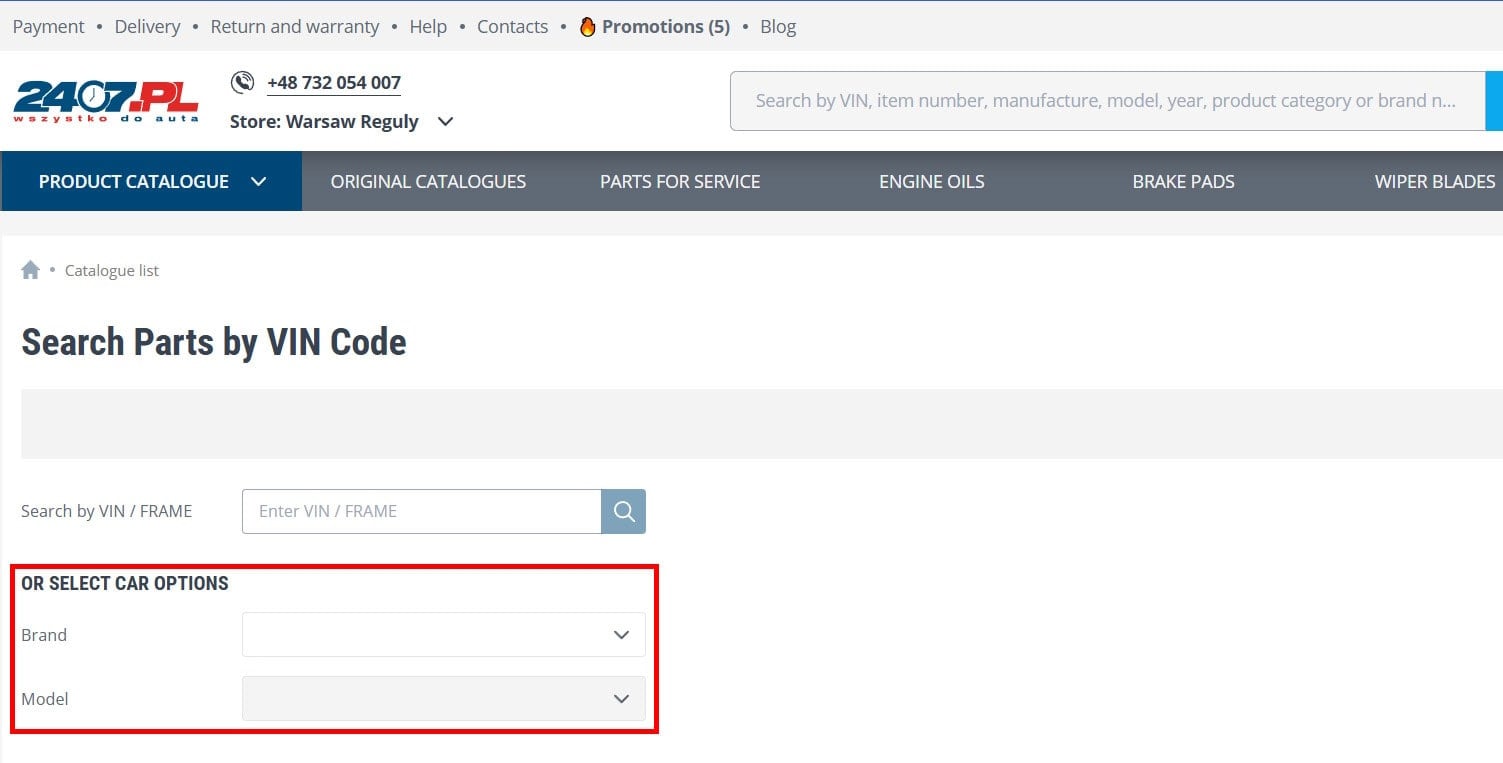
Double-check the VIN you entered. If it’s correct but still not working, try searching by vehicle parameters instead (see screenshot).
Note: Our VIN lookup relies on third-party databases we don’t control. This means we can’t guarantee full coverage or accuracy for every VIN. Some may not yet be supported.
If you run into problems, our support team is here to help.
What Is a VIN Code?
VIN (Vehicle Identification Number) is a unique 17-character code that identifies your car. It’s used for tracking vehicle history, ordering correct parts, matching paint, and more — all based on the original build and market specs.
What Does a VIN Tell You?
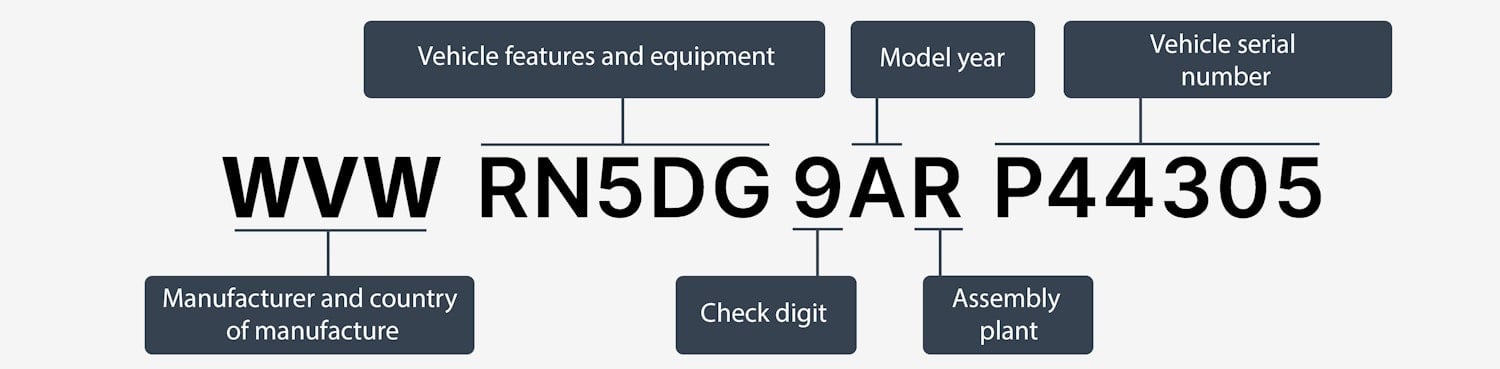
The VIN follows ISO 3779 and includes the following sections:
- WMI (Characters 1–3): Manufacturer and country of origin. Example: “WVW” = Volkswagen, Germany.
- VDS (Characters 4–8): Model, body type, engine, transmission (varies by brand).
- Check Digit (9th): Used in North America for verification (not always used in Europe).
- Model Year & Plant (10th–11th): Example: “A” = 2010.
- VIS (Characters 12–17): Unique serial number for the car.
Full decoding requires access to specialized databases.
Where to Find the VIN
You’ll find the VIN in your vehicle’s registration documents or physically on the car — under the hood, on the driver’s door pillar, the windshield, or door sill. It’s placed in multiple spots to prevent tampering and ensure accurate identification.
Common Issues When Using VIN to Find Parts
- Older Cars (pre-1981)
Cars made before standardized VINs may not work with modern systems. Double-check specs or consult a specialist. - Same Model, Different Specs
The same car model built in different countries may have slight differences — especially in cars made before 2000. VIN results may need extra verification. - Imported or Special-Use Vehicles
Cars that were taxis, police vehicles, etc., might have non-standard setups. If in doubt, confirm fitment with an expert. - Modified Vehicles
If the car has aftermarket parts (e.g., custom suspension or engine), VIN-based results might not match. The VIN only reflects the factory configuration. A mechanic can help verify compatibility.